People previously have seen the comparison video of the iPad 5 and
iPad 4 in terms of the front panel. Surprise! Today a new video
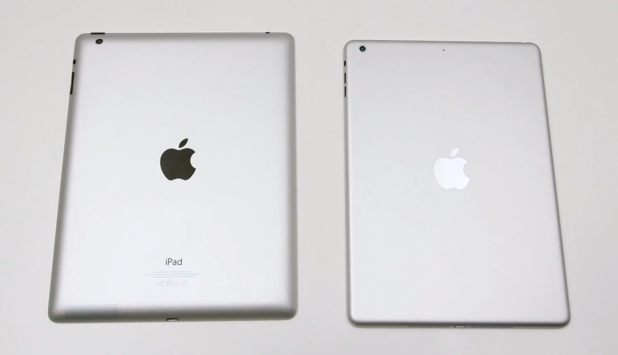
published by Unbox Therapy shows an outer casing for the purported iPad 5
with the older iPad. The video confirms many rumors we’ve met about the
upcoming iPad 5, especially previous speculations said that the new
iPad would take a lot of design cues from the iPad mini.
The outer casing emerged in the video reveals a tablet that has
thinner side bezels than iPad 4 despite having the same screen size
compared to the older models. The purported casing also suggest that the
next iPad will become more sharply on the edges and won’t feature
sloping rear curves that previous generations have. The video also
claims that Apple has brought the iPad mini’s separate volume buttons
over to the full-sized iPad 5.
The next generation devices including the iPhone 5S, ipad 5 and iPad
Mini are around the corner. Many people hope that Apple can launch the
iPhone 5S and iPhone 5C, and lots of scientific websites such as BGR,
Appleinsider also guess that Apple could release the next generation
iPad and the iPad Mini 2 on September 10th. However, it is also possible
that Apple may hold another releasing event in October this year.
Tuesday, September 10, 2013
Helpful Galaxy S4 Tips and Tricks
There
are four mobile phone giants: Apple, Samsung, HTC and LG, which
occupying the main smartphone market. Nobody can deny the fact that
Samsung has experienced a rapid increase of shares in the cellphone
market. This year, Samsung is climbing to the top of the smartphone
market, thanks to its latest flagship Galaxy S4. If you are a Galaxy S4
owner or you are loyal to Galaxy series and plan to purchase a Galaxy
S4, you are right here to get started with your handset. Here you have
some helpful tips and tricks for the Galaxy S4.
1) Tips for Home Screen Modes
Two Home Screen modes are supported by
Galaxy S4: basic mode (smarter mode) and easy mode. The basic mode is
the default setting including all available functions, while easy mode
only supplies an easier access for customers using smartphone for the
first time. You can change the basic mode to the easy mode by touching Menu > Settings > My device > Home screen mode > Easy mode > Apply.
2) How to Adopt Motion and Smart Gestures
You can control your device with the options of motions or natural gestures of your hands.
Go to Menu > Settings > My device > Motion and gestures, and you will access the motion setting. Turn on the setting by sliding OFF to ON, you will find three features are available for you: Air gestures, Motion, and Palm motion.
Air gestures: The function
performs by using a sensor to detect users’ specific movements. The
sensor position is at the top-right upper part above the screen. The
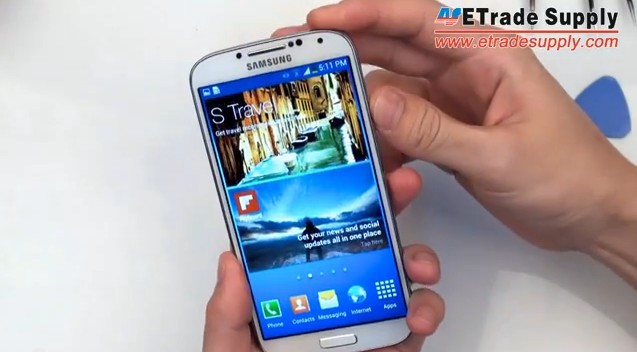
following picture marks the sensor position with blue circle.
When your GS4 screen is turned off, you
can hold your hands above the sensor to make the display active at
Notification icons, Missed calls, New messages, Time & Date or
Battery power. To scroll web pages and emails, you can move your hands
up and down over the sensor. If you want to answer an incoming call or
move to the previous or next item, you can move your hands left or
right. To move icons to other screens, you can tap and hold icons with
one hand, then move your other hand left or right above the sensor to
drag them to other screens: Home screen, App menu and Calendar.
Motion: Galaxy S4 is special by
its direct call and smart alert features. Placing the device to your ear
will automatically make a call when you check contact pages, such as
contact information or message details. When you have unread messages or
missing calls, you will find these notifications immediately when pick
up the handset. The Galaxy S4 contains the mute function, so the
unanswered calls or activated audio or video will pause when you can
turn the screen down.
Palm Motion: Galaxy S4 provides
the function of capturing a screenshot. You can sweep your hands over
the screen to trigger the function. Or you can mute music or FM radio by
covering the screen with your palm.
Tuesday, August 27, 2013
5.68 Inches Samsung Galaxy Note 3 Display Leaked in HD Photos
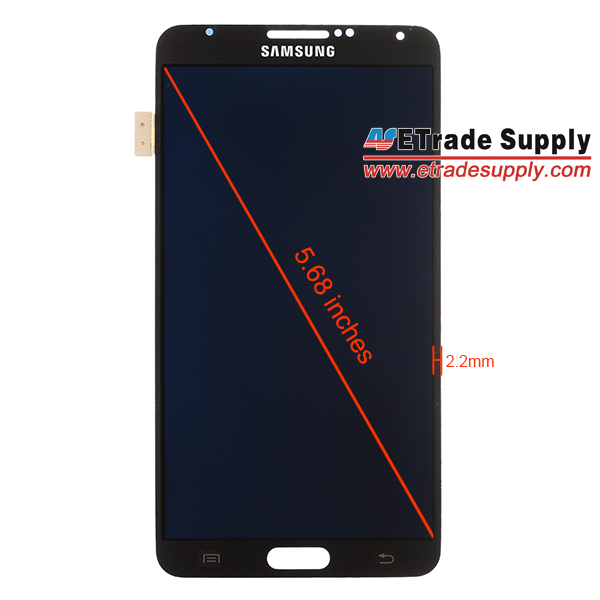
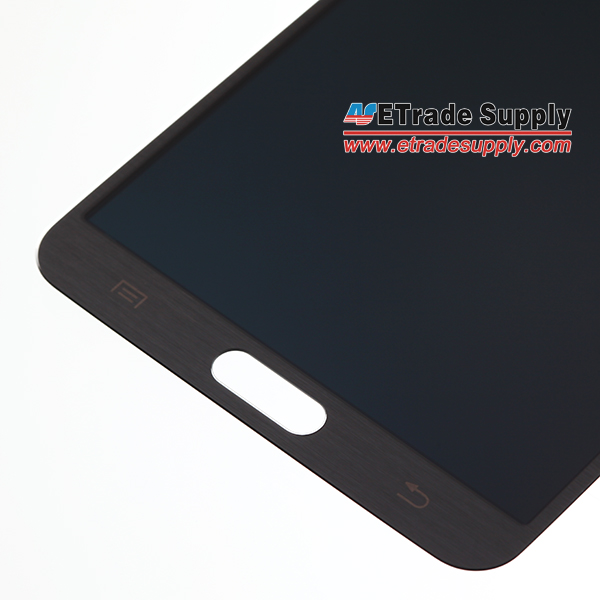
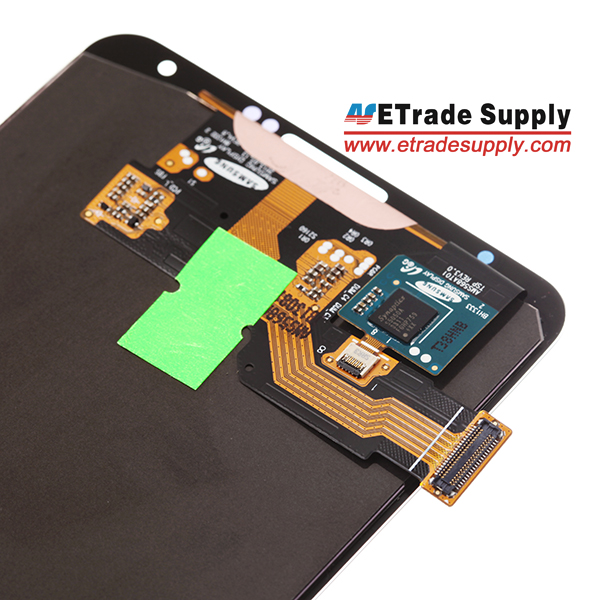
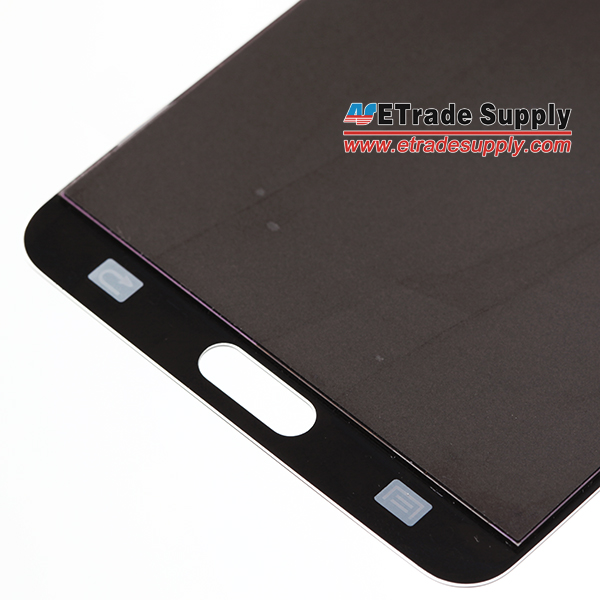
It is only one week left till September 4th, which is a big day for Samsung as the Korean tech giant is going to introduce its flagship of the second half of the year at IFA 2013. That is the third generation of Samsung Galaxy Note series. Rumors about the display size have been floating for a few months, 5.5, 5.7, 5.9, 6.1 or 6.3 inches? Well, the rumors can stop here and let’s reveal the answer now.
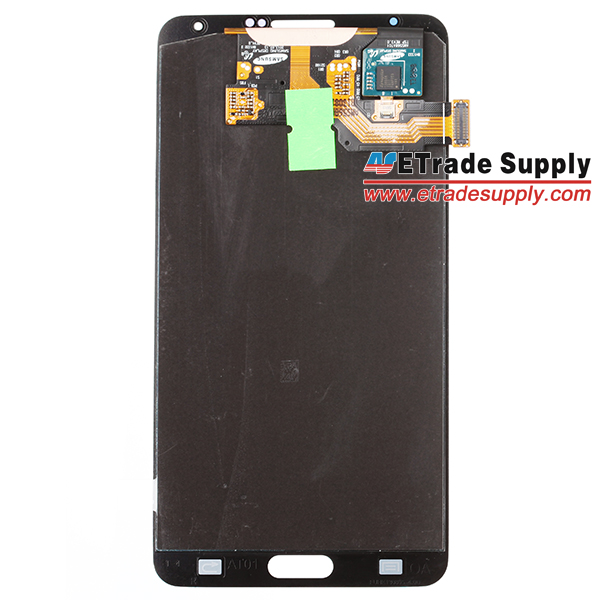
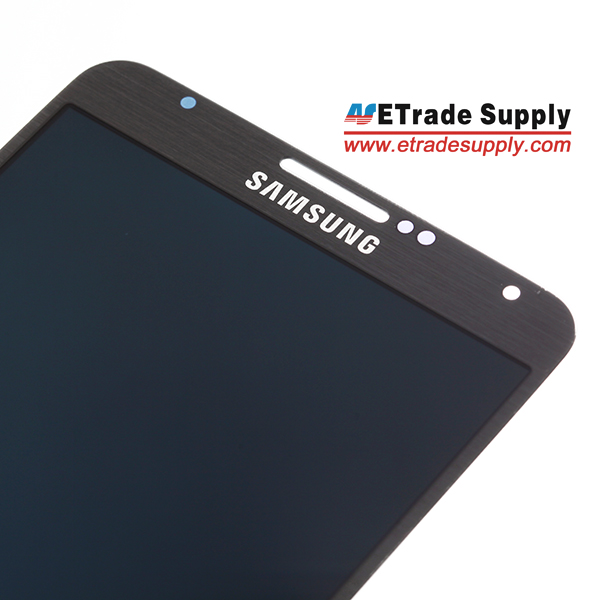
Today we manage to get our hands on the Samsung Galaxy Note 3 Display Assembly. After having a precisely measurement, we get that the display size is approximately 5.68 inches. Compared with the Galaxy Note 2, the Note 3’s screen design has some small changes. The shape of the corner is more like the Galaxy S4 and the boarder is slimmer, which is only 2.2 mm. The total thickness of the display is merely 1.8mm.
Monday, August 19, 2013
How to Repair BlackBerry Z10 Damaged Components
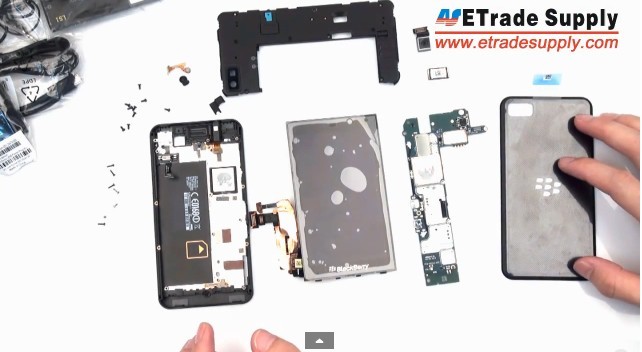
According to the reports from some phone forums and scientific websites, there are a few BlackBerry Z10 problems the users are facing. Lots of users published the threads that “how to repair the device’s internal parts?” These BBZ10 internal parts include BlackBerry Z10 cracked screen, malfunctioning speaker, or damaged charging port. Also, many people asked “where are the professional Z10 repair guides (like Z10 take apart video or article) and excellent OEM parts for BlackBerry Z10”.
Now, you don’t need to worry about the above-mentioned BlackBerry Z10 problems. You can repair a cracked, shattered or damaged screen and other internal parts on your phone with this detailed DIY disassemble tutorial, this guide will walk you through each step of taking apart your BlackBerry Z10 and show how to change the damaged components.
All the BlackBerry Z10 replacement parts and tools can be found on our official online store. Welcome to watch our BlackBerry Z10 take part video if you still can’t understand this tutorial.
This DIY disassembling tutorial will help you replace the following BlackBerry Z10 part(s):
• BlackBerry Z10 LCD Screen Replacement
• BlackBerry Z10 Touch Screen Digitizer Replacement
• BlackBerry Z10 Rear Housing Replacement
• BlackBerry Z10 Middle Plate Replacement
• BlackBerry Z10 Charging Port Replacement
• BlackBerry Z10 Ear Speaker Replacement
• BlackBerry Z10 Rear Facing Camera Replacement
See the following Link:
Sunday, August 18, 2013
BlackBerry Z10 Porsche Design Middle Plate
http://www.etradesupply.com/blog/leaked-blackberry-z10-porsche-design-middle-plate/
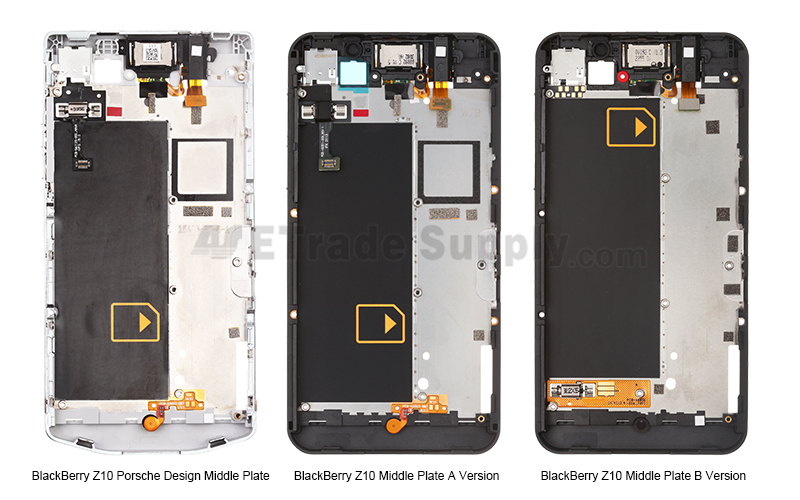
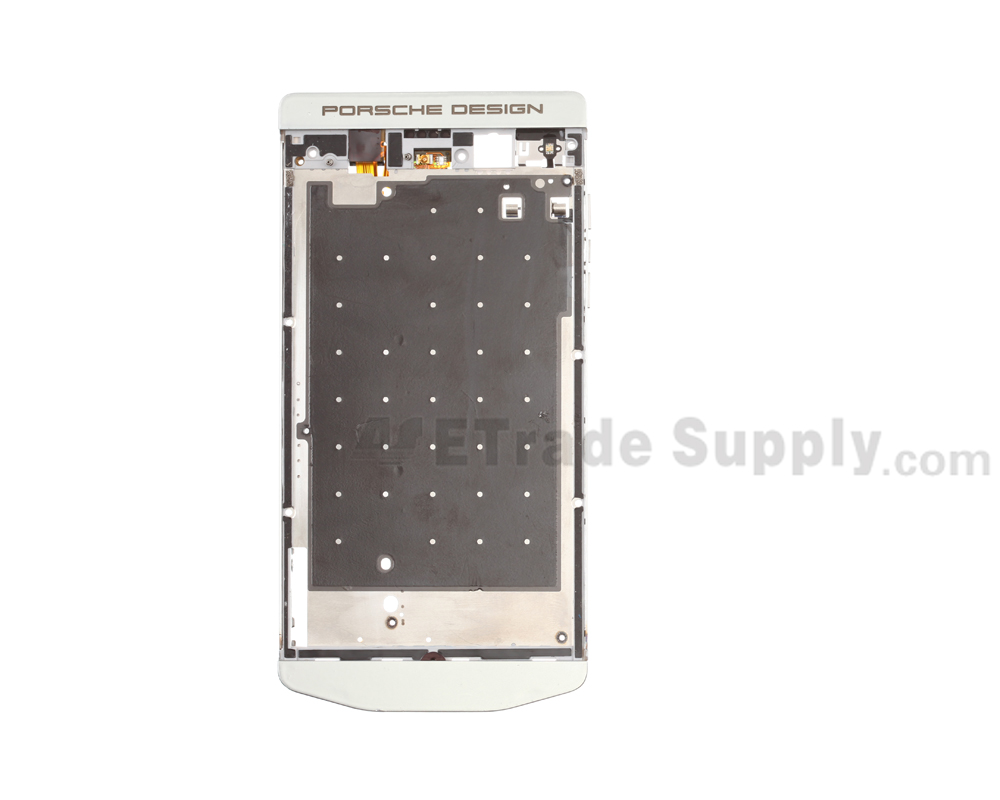
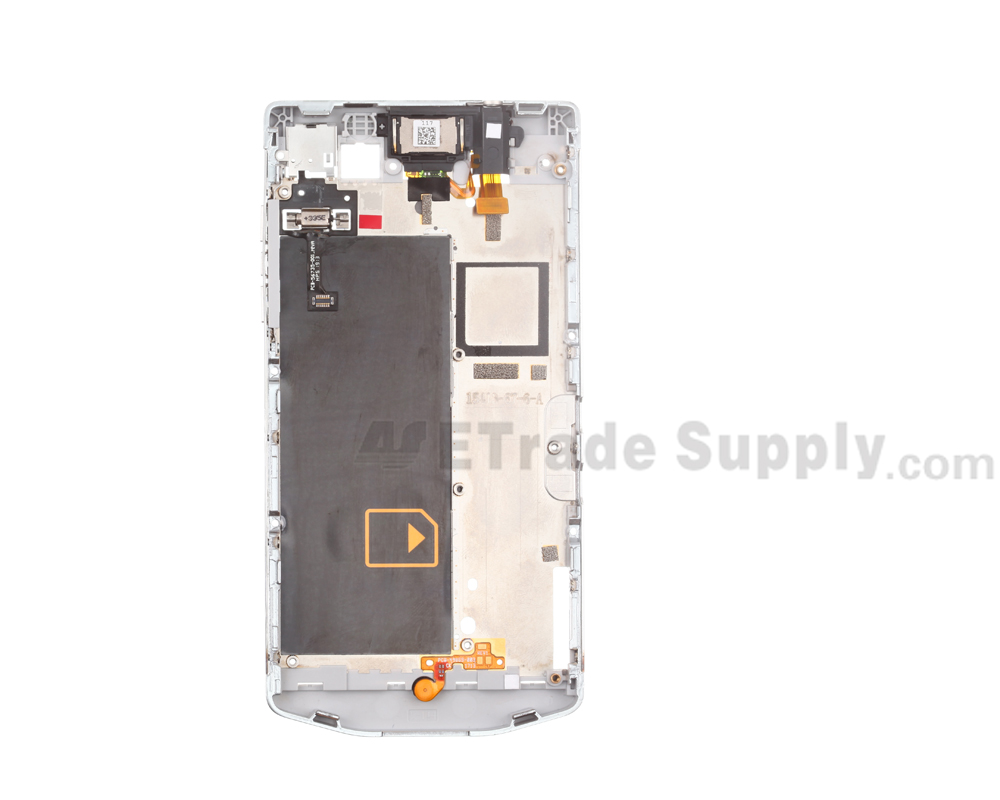
At the beginning of this month, there were reports showing that a prototype of the possible Porsche Design BlackBerry which is said to be an edition of BlackBerry Z10. And today we are lucky to get from our reliable sources some photos of a middle plate of this Porsche Design BlackBerry Z10. Since it is an edition of BlackBerry Z10, we have made a comparison as below:
From the picture we can see that the inner design of the Porsche edition middle plate is the same as the BlackBerry Z10 A Version’s middle plate, and only the frame design has been changed. Maybe there will also be two versions for the Porsche edition.
At the beginning of this month, there were reports showing that a prototype of the possible Porsche Design BlackBerry which is said to be an edition of BlackBerry Z10. And today we are lucky to get from our reliable sources some photos of a middle plate of this Porsche Design BlackBerry Z10. Since it is an edition of BlackBerry Z10, we have made a comparison as below:
From the picture we can see that the inner design of the Porsche edition middle plate is the same as the BlackBerry Z10 A Version’s middle plate, and only the frame design has been changed. Maybe there will also be two versions for the Porsche edition.
According to previous report, this
new Porsche Design edition will be called BlackBerry P`9982 and will
again feature a unique UI on top of BlackBerry 10. The availability is
estimated to be in the middle of 2014 with a price around $2000.
Saturday, August 17, 2013
How to Replace Nexus 4 Back Cover
Replace Nexus 4 Back Cover
http://www.etradesupply.com/blog/how-to-replace-cracked-nexus-4-battery-cover/
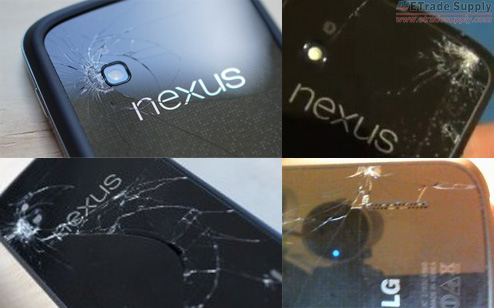
The Google Nexus 4 has gained positive reviews overall with the advantages of impressive features and affordable price. However, the shortcoming is that the front and back glass tend to break easily. Many users complained they cracked the back glass on their N4. However, the damage caused by personal factor is out of warranty. LG won’t replace it for free. Besides, it’s difficult to replace the Nexus 4 back cover glass lens alone. Fortunately, you can replace the whole Nexus 4 back cover easily yourself according to our step-by-step tutorials.
Preparation:
One T5 Torx Screwdriver
A Triangle Case Opening Tool
A New Replacement Nexus 4 back cover (Please note that there are two versions of the Nexus 4 back cover available online. One is with NFC, the other is without NFC. If you want to make this replacement work easier, you’d better get a new N4 battery cover with NFC.)
Step 1
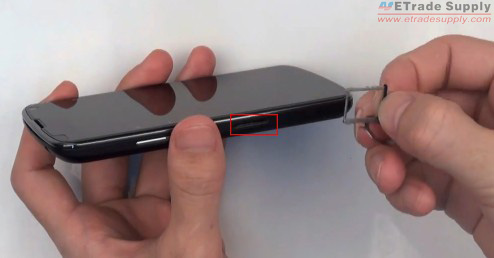
Turn off the Nexus 4, then use eject pin to remove the Nexus 4 SIM card tray from the device.
Step 2
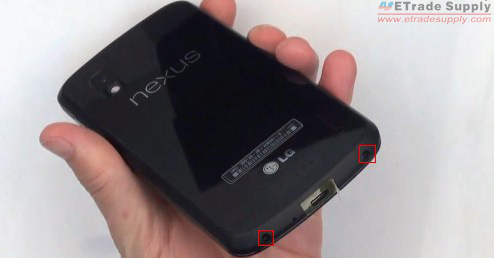
Use the T5 Torx Screwdriver to remove the two screws at bottom of the N4.
Step 3
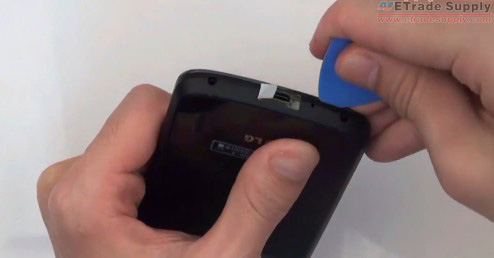
Use a triangle case opening tool to gently open the Nexus 4 battery cover by prying along the edge of the case, starting at the bottom corners. Then remove the broken back cover.
more
http://www.etradesupply.com/blog/how-to-replace-cracked-nexus-4-battery-cover/
The Google Nexus 4 has gained positive reviews overall with the advantages of impressive features and affordable price. However, the shortcoming is that the front and back glass tend to break easily. Many users complained they cracked the back glass on their N4. However, the damage caused by personal factor is out of warranty. LG won’t replace it for free. Besides, it’s difficult to replace the Nexus 4 back cover glass lens alone. Fortunately, you can replace the whole Nexus 4 back cover easily yourself according to our step-by-step tutorials.
Preparation:
One T5 Torx Screwdriver
A Triangle Case Opening Tool
A New Replacement Nexus 4 back cover (Please note that there are two versions of the Nexus 4 back cover available online. One is with NFC, the other is without NFC. If you want to make this replacement work easier, you’d better get a new N4 battery cover with NFC.)
Step 1
Turn off the Nexus 4, then use eject pin to remove the Nexus 4 SIM card tray from the device.
Step 2
Use the T5 Torx Screwdriver to remove the two screws at bottom of the N4.
Step 3
Use a triangle case opening tool to gently open the Nexus 4 battery cover by prying along the edge of the case, starting at the bottom corners. Then remove the broken back cover.
Friday, August 9, 2013
How to DIY a Paper Case for iPad 4
Many people like the way that iPad looks without a protective case. However, we know it’s obviously inadvisable to carry an iPad without a case, as we will never forgive ourselves once we crack it if the device has no protective case.
If you’re interested in the cases for your tablet, making a case by yourself is a great way to personalize your device without losing its original design. It’s even better than the expensive cases from an online shop. This tutorial teaches you how to use the basic tools and some materials to DIY a cheaper case. The idea of this tutorial is very simple and it won’t take you much time. Make this DIY iPad case and enjoy your original iPad! Enjoy!
How to DIY a Paper Case for iPad
1. A book
2. Paper Knife
3. Adhesive& Glue
4. Pencil
Steps One: Draw the “frame” of the iPad
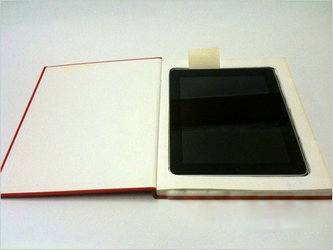
Select a book which has a bigger size than the iPad. Turn the cover page of the book, and then draw the “frame” of the iPad with the pencil on the first page.
more: http://www.etradesupply.com/blog/diy-paper-case-ipad-4/
Subscribe to:
Posts (Atom)